
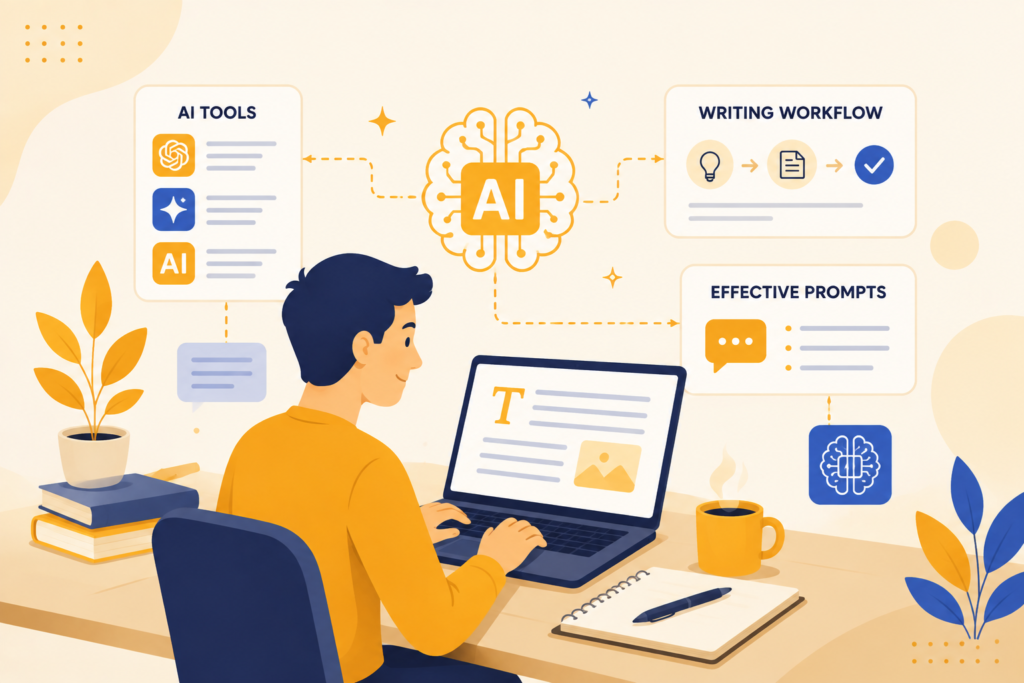
Most writers are already using AI.
The problem is, they’re getting generic replies.
You ask something, get a clean answer, but it feels like something you’ve read a hundred times before. It’s correct, but not useful. Structured, but not sharp. So you end up rewriting everything anyway.
I’ve spent over 8 years working across content, copies, and growth strategies, from established brands to early-stage startups, across both organic and paid channels. One thing has always been clear. Content doesn’t work because it’s well-written. It works because it says something specific.
That’s exactly where most people struggle with AI for writers.
AI is not the problem.
It’s how you use it.
AI is a thinking amplifier. It builds on your input. If your prompts are vague, the output becomes generic. If your direction is clear, the output becomes usable.
This guide will show you how to fix that. A practical way to use AI so your writing doesn’t sound like everyone else, and you spend less time fixing and more time creating.
What AI for Writers Actually Means (Beyond Hype)
When people hear AI for writers, they assume one thing.
That AI writes for you.
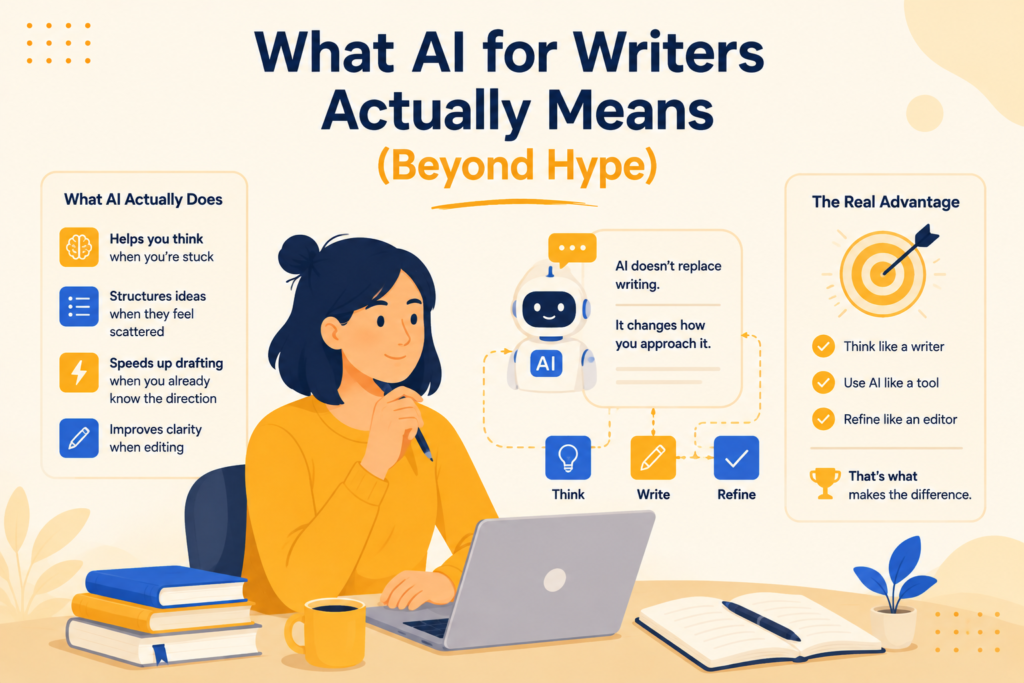
That’s not how it works. AI doesn’t replace writing. It changes how you approach it.
What AI Actually Does
Instead of doing the work end-to-end, AI supports specific parts of the process:
- Helps you think when you’re stuck
- Structures ideas when they feel scattered
- Speeds up drafting when you already know the direction
- Improves clarity when editing
So if you’re asking “what is AI writing?”, the simplest answer is this:
It’s not writing done by AI.
It’s writing done faster and more efficiently with AI support.
How Writers Actually Use AI
Good writers don’t use AI to avoid writing.
They use it to remove friction.
- Brainstorming when ideas are unclear
- Creating outlines instead of starting blank
- Rewriting sections instead of editing line by line
- Refining tone instead of reworking everything
That’s how writers use AI in a way that actually improves output.
The Real Advantage
Writers who rely only on manual effort move slower.
Writers who rely only on AI sound generic.
The ones who combine both outperform.
Because they:
- Think like a writer
- Use AI like a tool
- And refine like an editor
That’s what makes the difference.
This isn’t unique to writing either; it’s the same principle behind building any discipline that actually lasts: the people who win aren’t relying on willpower or shortcuts alone; they’re combining structure with consistent effort.
How Writers Actually Use AI (Real Use Cases)
Most advice around how writers use AI makes it sound like a one-step process.
Open tool → generate content → done.
That’s not how good writers use it.
AI becomes useful when you break your writing into parts and use it at the right moments. Not all at once.
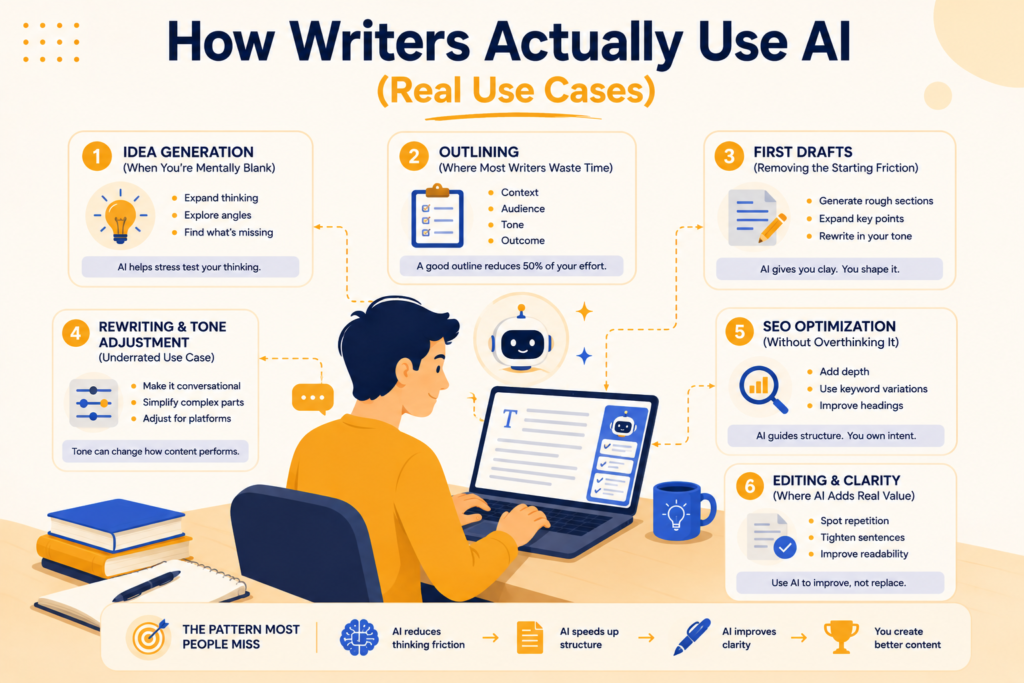
1. Idea Generation (When You’re Mentally Blank)
This is where AI saves the most time, but also where most people use it poorly.
If you ask something generic, you’ll get generic ideas.
What actually works is using AI to expand your thinking, not replace it.
For example:
- Take one rough idea and ask for 10 variations
- Ask for angles from different audiences
- Explore “what’s missing” in existing content
Tools like ChatGPT work best here because they respond quickly and let you iterate.
The difference is subtle.
You’re not asking for ideas.
You’re using AI to stress test your thinking.
2. Outlining (Where Most Writers Waste Time)
This is the step that changes everything.
Most writers either:
- Skip structure and struggle later
- Or overthink structure and delay writing
AI helps you get a usable outline fast.
But here’s the part most people miss.
You shouldn’t ask:
“Give me an outline”
You should give:
- Context
- Target audience
- Tone
- Outcome
Then refine the structure.
Tools like Claude are especially useful here because they handle long-form logic better.
A good outline reduces 50% of your writing effort.
3. First Drafts (Removing the Starting Friction)
AI is great at getting you past the blank page.
But this is also where most beginners go wrong.
They generate a full draft and try to use it as-is.
That’s why AI content feels generic.
What actually works:
- Generate rough sections, not full articles
- Use AI to expand specific points
- Rewrite everything in your own tone
Think of it like this:
AI gives you clay. You shape it.
4. Rewriting & Tone Adjustment (Underrated Use Case)
This is where AI becomes powerful.
Not in creating content, but in reshaping it.
You can take something you’ve written and:
- Make it more conversational
- Simplify complex sections
- Adjust tone for different platforms
Tools like Jasper are often used for this, especially in marketing where tone matters more than structure.
A small shift in tone can completely change how content performs.
5. SEO Optimization (Without Overthinking It)
Most writers struggle here because SEO feels technical.
AI helps simplify it.
Instead of manually figuring everything out, you can:
- Expand sections for depth
- Add relevant keyword variations
- Improve headings for clarity
Tools like Writesonic are built around this kind of workflow.
But the important part is this.
AI can guide structure for SEO. It can’t replace intent. You still decide what matters.
6. Editing & Clarity (Where AI Adds Real Value)
This is the most practical use case, and often the most ignored.
AI is very good at:
- Spotting repetition
- Tightening sentences
- Improving readability
But here’s the nuance.
If you rely on AI too much here, your writing loses personality.
So instead of asking:
“Fix everything”
Ask:
- “Make this clearer”
- “Shorten this without losing meaning”
Then review it yourself.
The Pattern Most People Miss
AI is not one tool doing one job.
It’s a layer across your entire workflow.
Used well, it:
- Reduces thinking friction
- Speeds up structure
- Improves clarity
Used poorly, it:
- Creates generic content
- Removes originality
- Adds more editing work
The difference is not the tool.
It’s how you use it at each stage.
And once you understand that, AI stops being confusing and starts becoming useful.
The Biggest Mistake Beginners Make with AI Writing
Most beginners don’t get bad results from AI because the tool is limited.
They get bad results because of how they use it.
And the mistake is not obvious.
It feels like you’re doing things right.
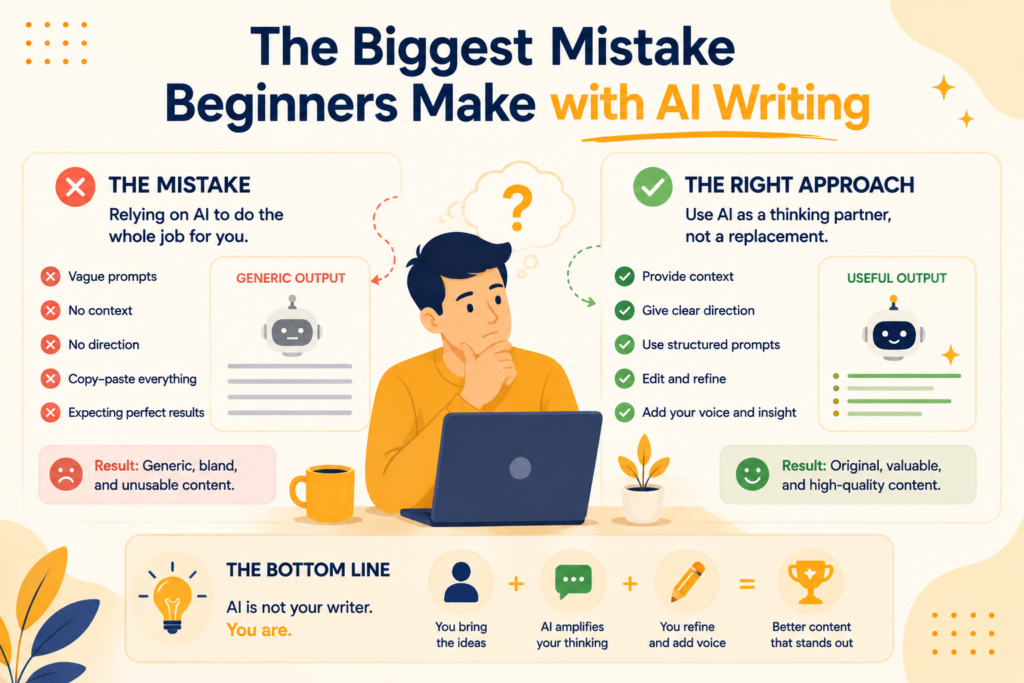
Copy-Paste Outputs (Without Owning the Content)
You generate a response, read it quickly, and paste it into your doc.
It looks clean, sounds structured and feels “done.”
But something is off.
It doesn’t sound like you, doesn’t say anything new. It feels replaceable.
That’s because AI output is designed to be broadly correct, not specifically valuable.
If you don’t reshape it:
- There’s no unique angle
- No real voice
- No reason for someone to choose your content
The issue is not that AI wrote it.
The issue is that you didn’t take ownership of it.
No Prompt Clarity (Vague Input = Average Output)
This is the part most people underestimate.
They write prompts like:
- “Write a blog on AI for writers”
- “Make this better”
- “Give me ideas”
And expect high-quality output.
But AI doesn’t think.
It responds.
If your input is unclear, the output will default to the most common, safe, generic version of that topic.
That’s why everything starts sounding the same.
What actually works is specificity:
- Who is the audience
- What’s the tone
- What’s the outcome
- What should be avoided
Without that, you’re not guiding the tool.
You’re leaving it to guess.
No Editing (Skipping the Only Step That Matters)
This is where most beginners lose the game.
They treat AI output as final content.
But AI doesn’t know:
- Your experience
- Your perspective
- Your intent
So it fills the gaps with patterns it has seen before.
Editing is where content becomes yours.
Not just grammar fixes.
Real edits:
- Adding personal insight
- Removing repetition
- Changing structure where needed
- Making it sound human
Without this step, everything you create will feel like it could have been written by anyone.
The Core Problem No One Talks About
AI doesn’t create generic content.
It reflects generic input.
If your thinking is shallow, your prompt will be shallow.
If your prompt is shallow, your output will be predictable.
That’s the loop.
AI content sounds generic because the input is generic.
The Shift That Changes Everything
The moment you stop asking AI to “write for you” and start using it to support your thinking, everything improves.
You:
- Guide the output instead of accepting it
- Shape the content instead of copying it
- Use AI as a tool, not a replacement
That’s where beginners turn into effective AI writers.
The Simple AI Content Workflow (Step-by-Step)
Most beginners use AI in one step.
They open a tool, type a prompt, and expect a finished article.
That’s why the output feels generic.
What actually works is using AI across stages, not all at once. This is where a proper AI content workflow makes the difference.
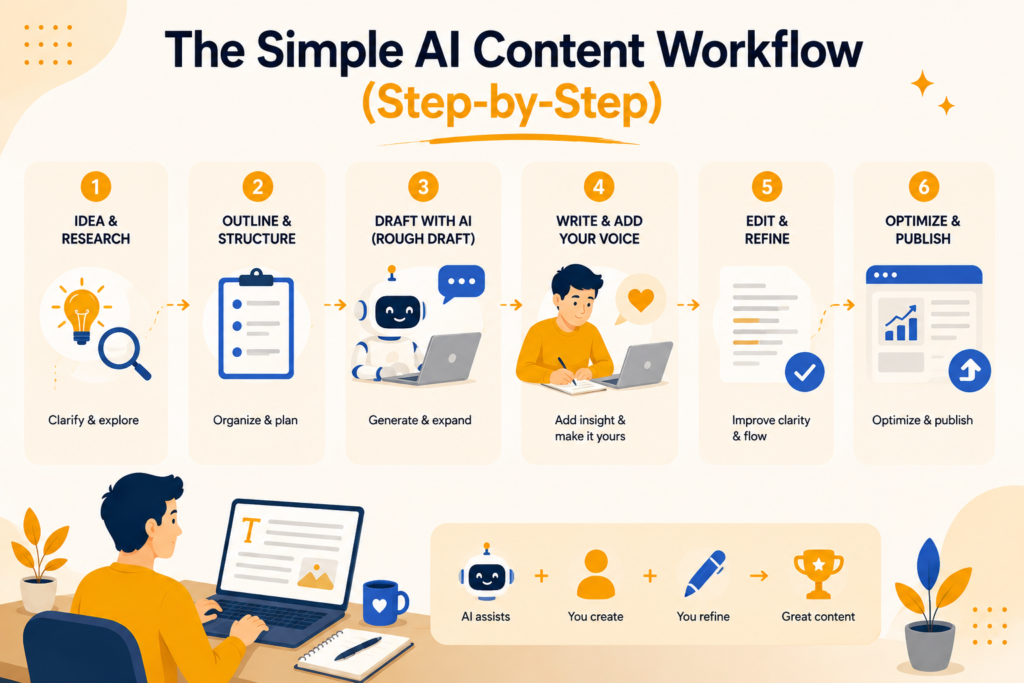
Step 1: Idea → AI Brainstorming
Start with a rough thought, not a perfect topic.
Instead of asking AI to give you ideas from scratch, use it to expand what you already have:
- Ask for different angles
- Identify gaps in existing content
- Explore audience-specific perspectives
The goal here is not volume. It’s direction.
Step 2: Outline → Structure Generation
This is where your content either works or struggles.
Take your idea and build a structured flow:
- What comes first
- What needs depth
- What can be simplified
Use AI to organize your thinking, but don’t accept the first outline blindly.
Refine it until it feels natural to you.
A strong structure removes most of the writing friction later.
Step 3: Draft → Rough Output
Now you use AI to generate content.
But not all at once.
Instead of asking for a full blog, generate:
- Section by section
- Specific explanations
- Supporting points
This keeps control in your hands.
You’re building the draft, not outsourcing it.
Step 4: Edit → Human Refinement
This is the step that defines quality.
AI can generate words.
It cannot replace your perspective.
This is where you:
- Add personal insights
- Remove anything that feels repetitive
- Adjust tone to match your voice
- Break structure where needed
Most beginners skip this.
That’s why their content feels replaceable.
Skipping the hard step is rarely about laziness, it’s usually about motivation fading halfway through a draft. Treating editing as a non-negotiable system step, not something you do “if you feel like it,” is what separates writers who publish consistently from those who don’t.
Step 5: Optimize → SEO + Clarity
Once the content feels right, you refine it for performance.
Use AI to:
- Improve readability
- Add keyword variations naturally
- Strengthen headings
- Expand weak sections
But don’t over-optimize.
Clarity matters more than stuffing keywords.
The Key Insight Most People Miss
AI is not your writer.
It’s your assistant.
If you treat it like an author, you’ll get average content.
If you use it as support across each step, your output becomes faster, clearer, and more effective without losing your voice.
That’s the difference between using AI casually and using it well.
Best AI Writing Tools for Beginners (With Use Cases)
Most beginners think they need one perfect tool.
You don’t.
Each tool is good at a specific part of the workflow. Once you understand that, you stop switching tools randomly and start using them with intent.
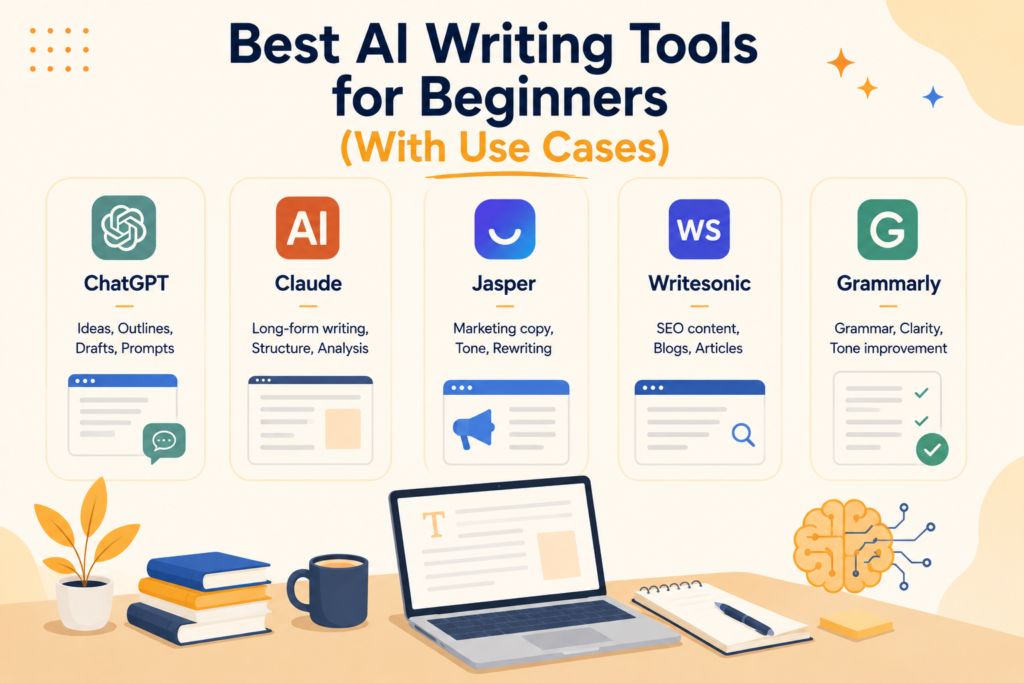
1. ChatGPT (Best for Thinking + Prompts)
This is where most of your work should start.
Not for writing final drafts, but for:
- Brainstorming ideas when you’re stuck
- Structuring outlines quickly
- Testing different angles
From experience, this is the tool that improves your thinking the most, if you use it actively instead of passively.
2. Claude (Best for Long-Form Writing)
Claude is strong when you need depth and flow.
Use it for:
- Refining long sections
- Improving readability
- Making content feel more natural
It handles tone better in longer pieces, especially when you want something less robotic.
3. Jasper (Best for Marketing Copy)
Jasper is built for conversion-focused writing.
Best used for:
- Ads
- Landing pages
- Sales-driven content
It’s less about depth and more about output that performs.
4. Writesonic (Best for SEO Content)
This is where structured content creation becomes easier.
Use it for:
- Blog generation
- Keyword-focused writing
- SEO optimization
It’s helpful when you want to scale content without losing structure.
5. Grammarly (AI Editing Layer)
This is not for generating content.
It’s for cleaning it up.
Use it for:
- Improving clarity
- Fixing grammar
- Tightening sentences
This is the final layer that makes your writing feel polished.
How to Think About These Tools
Don’t try to replace your entire workflow with one tool.
Instead:
- Use ChatGPT for thinking
- Claude for refining
- Jasper for conversion
- Writesonic for SEO
- Grammarly for final polish
That combination works better than relying on any single platform.
Affiliate Note (Practical Tip)
If you’re just starting:
- Begin with free versions
- Test one use case at a time
- Upgrade only when you see real value
Because tools don’t improve your writing.
How you use them does.
Prompt Design: The Skill That Changes Everything
If there’s one skill that determines whether AI helps you or frustrates you, it’s prompt design.
Not the tool you use.
Not the features.
Just how you ask.
Most beginners keep switching between tools, thinking one will give better results. In reality, the output rarely improves, because the input stays the same.
That’s the part most people miss.
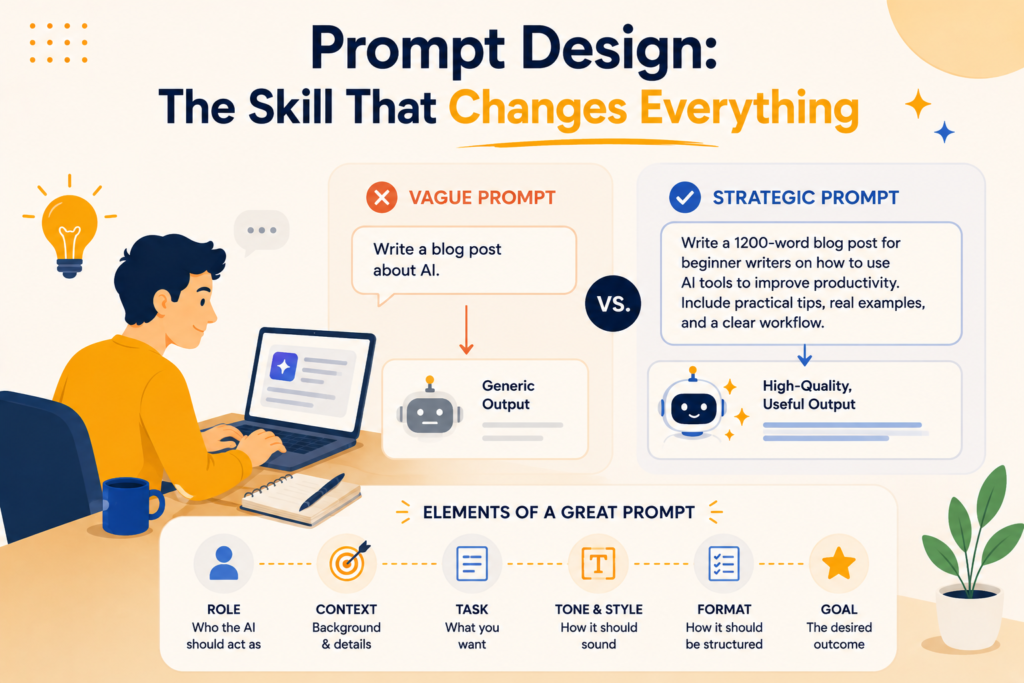
Why Prompts Matter More Than Tools
AI doesn’t “think” in the way you do.
It responds based on patterns and the instructions you give it.
So when your prompt is vague, the AI fills in the gaps with the most common version of that request.
That’s why everything starts sounding the same.
Tools like ChatGPT or Claude can produce very different results with the exact same capability.
The difference is not the tool.
It’s the prompt.
What Most Prompts Get Wrong
Most beginners write prompts like they’re giving a command.
Short, unclear, and open-ended.
- “Write a blog intro”
- “Make this better”
- “Give me ideas”
These prompts force AI to guess:
- Who is this for?
- What tone should it use?
- What outcome is expected?
When AI guesses, it defaults to safe, generic content.
Bad Prompt vs Good Prompt (What Actually Changes)
Here’s a simple example.
Bad Prompt:
“Write a blog intro on AI for writers”
What happens: You get a generic, broad introduction that could belong to any blog.
Better Prompt:
“Write a conversational, slightly authoritative blog intro on AI for writers. Target beginner writers who feel confused using AI tools. Keep it simple, practical, and avoid generic statements. Focus on why AI feels hard to use at first and what they’re doing wrong.”
What changes:
- The tone becomes clear
- The audience is defined
- The direction is specific
- The output feels usable
The Layer Most People Don’t Add
Even “good” prompts can still be improved.
The difference between decent and strong output often comes from adding constraints:
- What to avoid
- What to emphasize
- How it should feel
For example:
- “Avoid generic phrases”
- “Keep sentences short”
- “Make it sound like personal experience”
These small additions guide the output more than length ever will.
The Real Shift
Prompt design is not about writing longer prompts.
It’s about thinking clearly before you ask.
When your thinking improves:
- Your prompts become sharper
- Your output becomes more relevant
- Your editing effort reduces
That’s why this skill matters more than any tool you’ll use.
Because once you understand prompt design, you can get better results from almost any AI platform.
A Simple Prompt Framework for Writers
Most writers struggle with AI not because they lack tools, but because they don’t have a repeatable way to give instructions.
They start from scratch every time.
That’s where a simple framework helps.
Not to make prompts longer, but to make them clearer.
The Prompt Structure You Can Reuse
If you follow this structure, your output improves immediately:
| Element | What It Means | Example |
| Context | What the content is about | “Blog on AI for writers” |
| Role | Who the AI should act as | “Act like an experienced content writer” |
| Task | What you want it to do | “Write an introduction” |
| Constraints | What to follow or avoid | “Keep it conversational, avoid generic phrases” |
| Output Format | How the result should look | “3 short paragraphs, no bullet points” |
How This Changes Your Output
Most people only write the task.
That’s why results feel random.
When you add context, role, and constraints:
- The AI stops guessing
- The tone becomes consistent
- The output becomes usable
It’s not about control. It’s about direction.
Example (Using the Framework)
Instead of writing:
“Write a blog intro on AI for writers”
Use this:
- Context: AI for writers beginner guide
- Role: Experienced content writer
- Task: Write an introduction
- Constraints: Conversational tone, avoid generic phrases, focus on confusion beginners face
- Output format: 3–4 short paragraphs
Why This Works So Well
This framework forces clarity before you ask.
And that’s what most people skip.
Once you start using this consistently:
- You spend less time fixing output
- You get closer to your desired tone
- You stop relying on trial and error
The Key Insight
Better prompts don’t come from better wording. They come from better thinking.
And once your thinking is structured, your prompts become repeatable.
That’s what makes this framework powerful.
How to Make AI Writing Sound Human
This is where most AI-written content fails.
Not at generating words.
At sounding real.
AI can produce clean, structured content. But it lacks lived experience, nuance, and natural imperfection. That’s why it often feels “correct” but not engaging.
The fix is not better tools.
It’s how you handle the output.
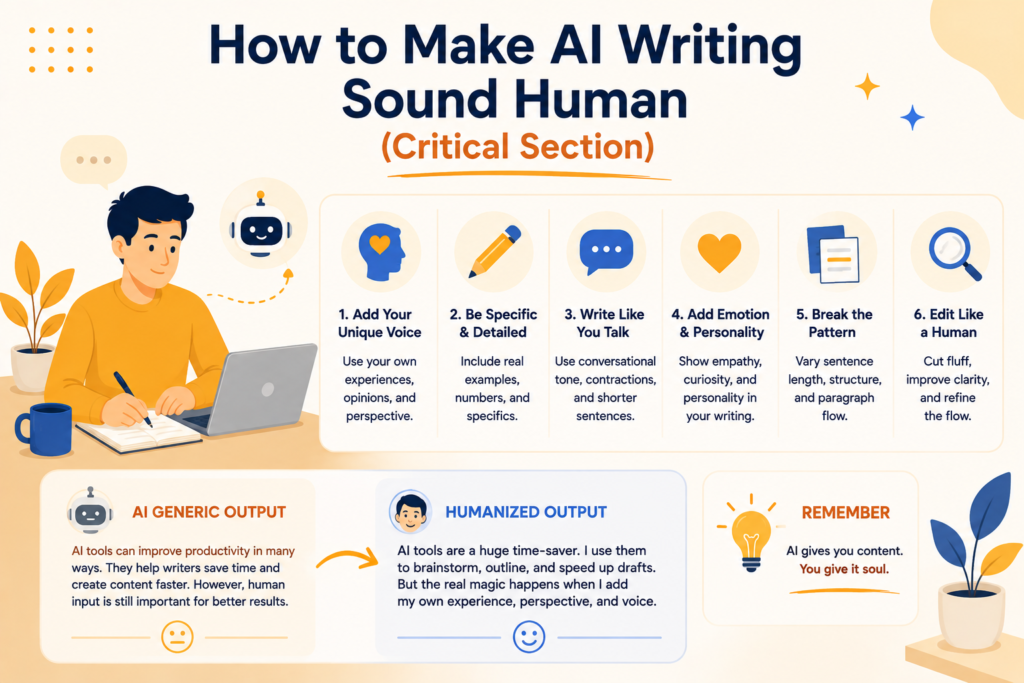
Add Personal Experience
AI doesn’t know what you’ve seen, tried, or learned.
That’s your advantage.
Even a small addition changes everything:
- “From experience…”
- “I noticed this when I tried…”
- “This is where most people get stuck…”
These lines make the content feel grounded.
Without them, it feels like information. With them, it feels like perspective.
Break the Structure Slightly
AI writes in patterns.
Perfect sentences. Predictable flow. Clean transitions.
That’s exactly what makes it sound robotic.
You need to interrupt that pattern.
- Use shorter sentences
- Add pauses
- Start with unexpected lines
- Don’t over-explain everything
Real writing has rhythm.
Not just structure.
Edit Aggressively
This is the step most people avoid.
They generate content and tweak a few lines.
That’s not enough.
You need to:
- Remove sections that feel generic
- Rewrite parts that don’t sound like you
- Cut anything that feels repetitive
If a paragraph could fit into any blog, it shouldn’t stay.
Remove Repetition (The Hidden Problem)
AI tends to repeat ideas in slightly different ways.
It feels like depth, but it’s not.
It’s padding.
You’ll often see:
- Same point, rephrased
- Similar examples repeated
- Over-explained sections
Cut them.
Tighter content feels more human than longer content.
The Core Shift
Most beginners treat AI output as finished content.
That’s the mistake.
AI output is raw material. You shape it.
Once you start treating it like a draft instead of a final version, everything improves.
Your writing sounds more natural, more specific, and more like something only you could have written.
When NOT to Use AI as a Writer
AI is useful, but not everywhere.
Knowing where not to use it is what actually builds credibility.
Because not all writing should be optimized for speed.
Deep Opinion Pieces
If the value of your content comes from your thinking, AI can’t replace that.
Strong opinions are built on:
- Experience
- Context
- Personal judgment
AI can help structure your thoughts, but it can’t generate a real point of view.
If you rely on it here, your content will feel safe, neutral, and forgettable.
Emotional Storytelling
Stories work because they feel real.
They have imperfections, pauses, and moments that don’t follow a clean structure.
AI tends to smooth everything out.
That removes the emotion.
If you’re writing something personal, like a journey, failure, or insight, write it yourself. You can use AI later to refine clarity, but not to create the core.
Original Research
If your content depends on:
- Data you’ve gathered
- Unique insights
- First-hand observations
AI should not be your source.
It can help summarize or structure, but not replace original thinking.
Relying on AI here risks:
- Inaccuracy
- Generic conclusions
- Loss of trust
Common AI Writing Mistakes (And Fixes)
Most problems with AI writing don’t come from the tool.
They come from how it’s used day to day.
And the tricky part is, these mistakes feel productive while you’re making them.
Over-Reliance
You start depending on AI for everything.
Ideas, structure, drafts, even thinking.
At first, it feels faster.
Then your content starts sounding the same. You lose your own voice without noticing it.
Fix: Use AI to support your thinking, not replace it.
Start with your own rough idea, then bring AI in to expand or refine it.
This is really a discipline problem wearing a tools disguise; the same system-over-motivation approach that works for any habit applies here: build the process once, then trust it instead of relying on how motivated you feel that day.
No Editing
You generate content, skim it, and move on.
It looks clean, so it feels done.
But most AI output:
- Repeats ideas
- Sounds generic
- Lacks depth
Fix: Edit like you would edit your own writing.
Cut repetition, add your perspective, and rewrite anything that doesn’t sound like you.
Wrong Prompts
This is where everything starts going off.
You write vague prompts and expect strong output.
AI responds with safe, average content because it has no clear direction.
Fix: Be specific. Define context, audience, tone, and constraints.
Better prompts reduce half your editing effort.
Using Too Many Tools
You keep switching tools, hoping one will give better results.
But the output doesn’t improve.
Because the issue isn’t the tool.
It’s the process.
Fix: Stick to 1–2 tools and learn them properly.
Use each tool for a specific purpose instead of trying everything at once.
The Pattern Behind All of This
These mistakes don’t come from lack of effort.
They come from trying to shortcut the process.
AI works best when you stay involved.
The more you guide it, refine it, and shape it, the better your content becomes.
The Future: Writers Who Use AI vs Those Who Don’t
AI is not replacing writers.
But it is changing how writing gets done. The value is shifting from just writing words to thinking clearly, structuring ideas, and refining output.
Writers who use AI well move faster. They spend less time on repetitive tasks and more time on shaping ideas. That gives them an edge, not because they’re better writers, but because they work smarter.
Writers who ignore AI won’t disappear, but they will feel slower in comparison. The gap will grow over time.
In the end, it’s not AI vs writers.
It’s writers who use AI vs those who don’t.
Conclusion: Use AI as a Tool, Not a Crutch
The real advantage of AI for writers is not just speed.
It’s clarity. It helps you organize thoughts, reduce friction, and move faster without starting from scratch every time. But that only works when you stay involved in the process.
Use AI where it makes sense, but keep your thinking and voice at the center. That’s what separates content that feels real from content that feels replaceable.
And if you want your writing to actually sound human, not like something AI generated, feel free to connect with me.
FAQs
Q. Is AI good for writers?
A. Yes, AI is useful for writers when used correctly. It helps with idea generation, structuring content, and editing. The key is to use it as a support tool, not rely on it for final output.
Q. What is the best AI tool for writing?
A. There is no single best tool. Tools like ChatGPT work well for brainstorming and prompts, while Claude is better for long-form writing. The best approach is using different tools for different parts of your workflow.
Q. Can AI replace content writers?
A. No, AI cannot replace content writers. It can generate text, but it lacks original thinking, experience, and perspective. Writers who use AI effectively will have an advantage over those who don’t.
Q. How do beginners use AI for writing?
A. Start with simple use cases. Use AI to brainstorm ideas, create outlines, and generate rough drafts. Then refine the content yourself to match your tone and intent.
Q. How do I write better prompts for AI?
A. Focus on clarity. Define the context, audience, tone, and output format in your prompt. The more specific your input, the better and more usable the output will be.
Leave a Reply